
Here are some instructions for enabling RLV in various viewers.
Firestorm
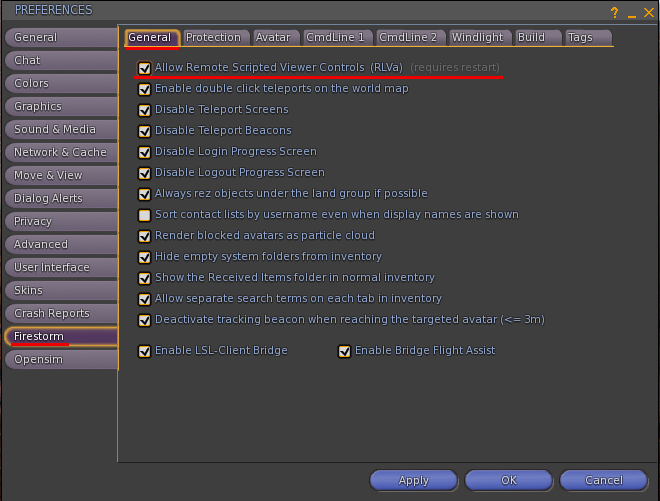
- Avatar / preferences / firestorm / general
- Put a tick in the box called “Allow Remote Scripted Viewer Controls [RLVa]”
- Click apply.
- Relog.
Singularity
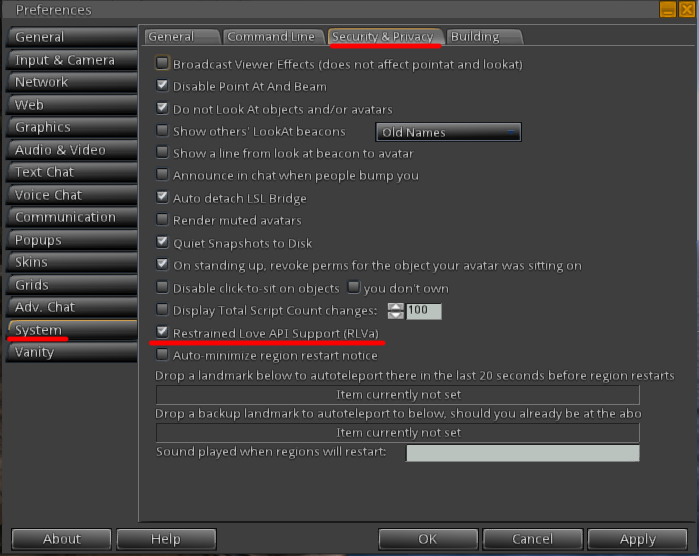
Edit preferences (ctrl-p). In the Preferences dialog, select the System tab then Security & Privacy (along the top). Near the bottom you will find a checkbox for Restrained Love API Support (RLVa) Make sure it is checked. Press OK or Apply. Relog for the changes to take effect.
Imprudance
========
Enable Advanced Menu if not enabled (ctrl+alt+shit+d)
Click in Restrained Love Support in the advanced menu
relog.
Restrained Love Viewer
================
yet to test this, there is no linux version so have not checked yet.